
Traceroute, or tracet, is a tool used for diagnosing network-related issues. It does this by displaying the route to the destination specified – a domain name or an IP address – and records how long it takes packets to reach that destination. Occasionally your Web Hosting Provider may ask you to perform a traceroute.
How to use traceroute?
Here’s how to run tracet on the 3 most common OS:
Windows
Click ‘Start’
Type in Run and then click on the icon that appears (a box should open)
Type cmd and then press OK to open command prompt.
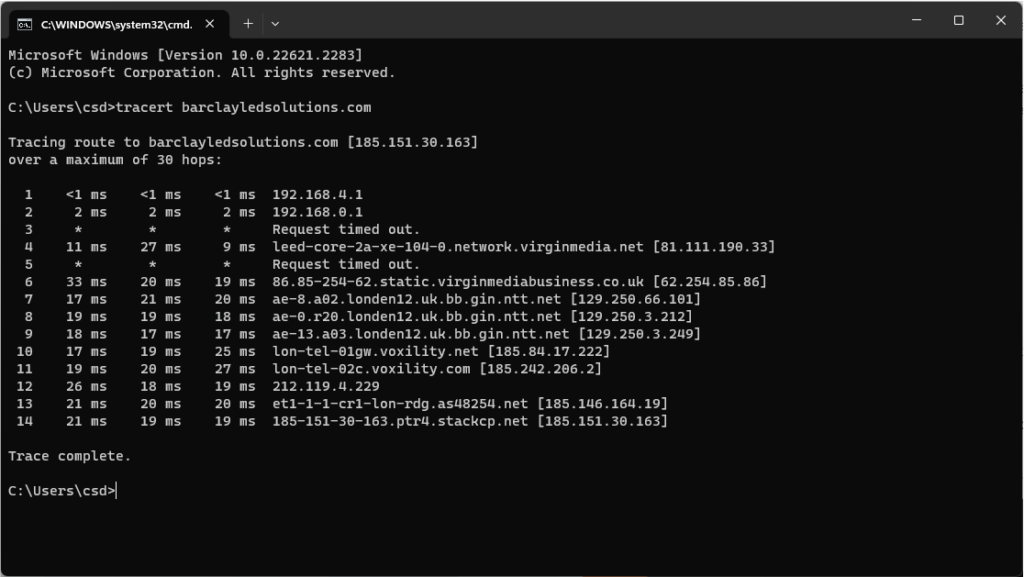
In the window that appears, type in: tracert yourdomain.com (or the IP address depending on the issue) and then press ‘Enter’.
macOS
Browse to Applications -> Utilities -> Terminal
Then type traceroute followed by a space and then a website or IP address you need to diagnose, i.e. traceroute yourdomain.com then press ‘Enter’.
Linux
Open a Terminal window
Type: traceroute yourdomain.com (or replace ‘yourdomain.com’ with an IP address if requested to do so)